Open up the Adaptix settings by clicking the settings gear icon on the top right corner of the page.
- Click “Custom Fields”. You will be navigated to the overview page of all your current custom fields.
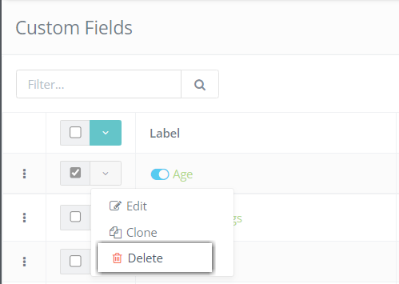
- Select the Custom Field(s) you want to delete by checking off the box associated with it.
- Click the green down arrow button to pull up a list of actions.
- Click “Delete”.