
Open up the settings menu by clicking the setting icon located in the top right corner of the page.
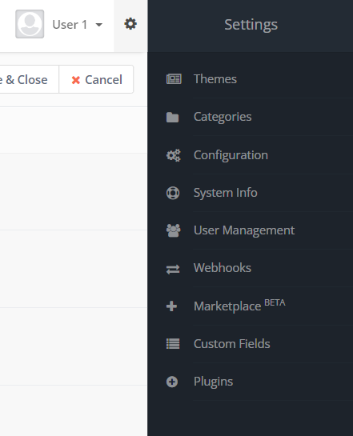
Click on “Custom fields” then click “+ New ” to add a new custom field.
You will be navigated to fill out your new custom field and any criteria you want to set for it.
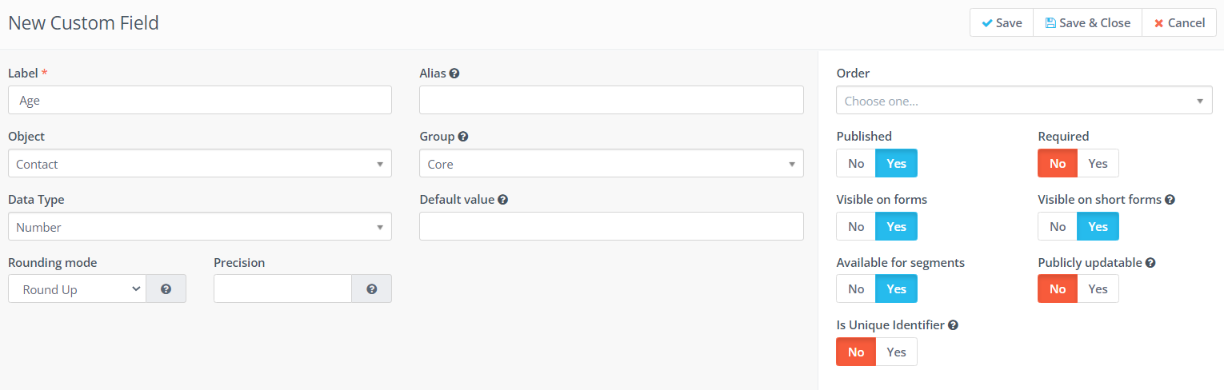
For example, if you want to add the contacts age as a custom contact field on your contacts profile
- Your label would be “Age”
- Set your object to “Contact”
- Data type would be a number
- Group would be “Core”
- You can choose to make this custom field required by clicking the “Yes” or “No” tab on the right side of the page.
- Make sure “Published” is set to “Yes”
Save any edits or changes you make!
Related Articles:
When to use custom fields with contacts
How do I import contacts with multiple values for a contact field?
