
Hidden fields can be added to your Adaptix form by adding a custom field.
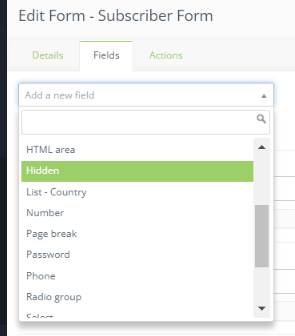
To add a hidden field, follow these steps:
- Open up a form or create a new one
- Click “Edit” to be able to edit the form and add new fields
- Open the “Fields” tab
- Select “Hidden” and fill out the information in the Hidden form
- Click “Add” when you are done
Save the form when you are done so the form will modify to the changes you have made.
