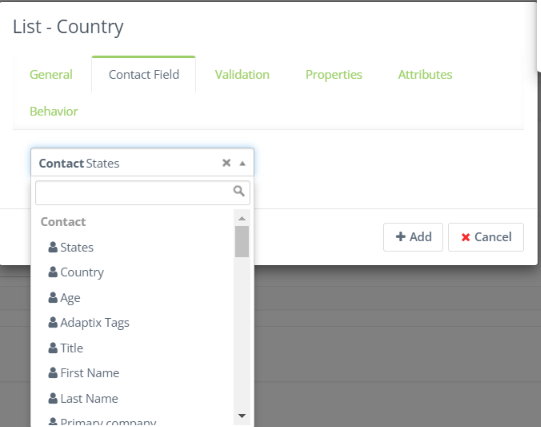
- To add a dropdown field to your Adaptix form, open up an existing form or create a new one
- Click on the “Fields” tab
- Click on the “Add a new field” bar, you will be presented a list of fields that can be added to your form.
- Select “List – Country”
- Label the field and then click on the “Contact field” tab
- Here you can select a contact or company custom field and it will have a drop down menu. If you don’t see what you are looking for you can add a new custom field in your Adaptix settings!