
Segments provide ways to easily organize your contacts. These segments can be configured from a variety of fields.
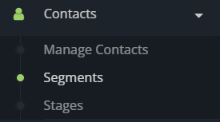
- To create a new segment navigate to “Segments” in the menu under “Contacts”.
- In the top right corner of the “Contact Segments” page, click on “+ New”. This will allow you to create a new segment.
- Name your segment.
- You can add information in the details page or add filters to your segment.
- When you are finished adding the information, click “Save” or “Save & Close”.
