AI Actions Library — turn every automation into an intelligent workflow

The Adaptix AI Actions Library adds AI to your automations. It can summarize, analyze, classify, detect sentiment, and generate custom outputs. It uses the data already flowing through your campaigns. Add AI Actions inside any workflow with merge tags, contact fields, company details, email activity, landing page behavior, form submissions, and custom data. The result is a workflow that is more relevant, responsive, and useful.

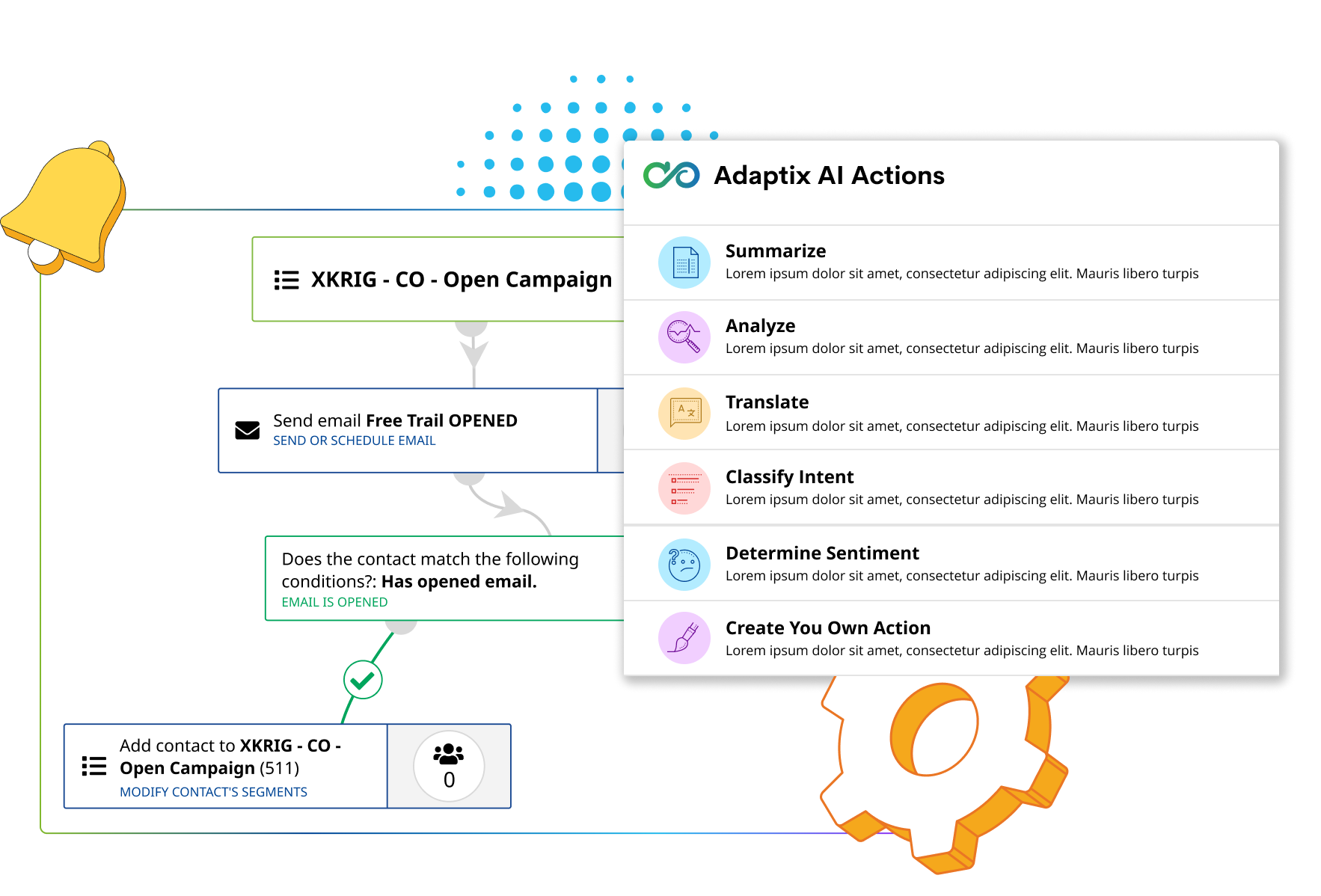
Workflow diagram showing email automation steps and a list of Adaptix AI Actions.

Companies that trust our solutions

The Problem

Red X icon inside a circle representing scattered or disorganized brand assets

Automations move contacts without understanding context

Red X icon inside a circle representing scattered or disorganized brand assets

Teams manually review replies, notes, and form submissions

Red X icon inside a circle representing scattered or disorganized brand assets

Lead intent and sentiment are hard to classify at scale

Red X icon inside a circle representing scattered or disorganized brand assets

Generic workflows cannot adapt to each contact's data or behavior

Adaptix Solution

icon with checkbox

AI actions that summarize, analyze, and interpret workflow data

icon with checkbox

Sentiment and intent detection for replies, forms, and notes

icon with checkbox

Custom prompts powered by merge tags and real campaign context

icon with checkbox

Smarter workflows that trigger better follow-ups and cleaner records

A smarter AI action engine for marketing automation

Add AI-powered decisioning, analysis, and content generation directly into your workflows so every automation can understand what happened, decide what it means, and trigger the right next step.

Blue icon of a document with bullet points and an hourglass, representing summarization.

Summarize

Create concise summaries of contacts, companies, form submissions, email replies, notes, or campaign activity.

Blue circle icon with a magnifying glass over a line graph, symbolizing analysis

Analyze

Evaluate text, behavior, and engagement data to identify key takeaways, risks, opportunities, or next-best actions.

Blue line icon of a confused face with a question mark, representing sentiment analysis.

Determine sentiment

Detect whether a reply or submission is positive, neutral, negative, urgent, frustrated, or interested.

Blue icon of a person with four arrows pointing outwards, representing intent classification

Classify intent

Identify whether someone wants pricing, a demo, support, cancellation, more information, or a sales conversation.

Blue icon of two overlapping speech bubbles, one with lines of text, representing a custom prompt.

Custom prompt

Create your own AI instruction using merge tags, fields, campaign context, and automation data.

Blue line icon of a satellite dish emitting signals within a light blue circle.

Output to fields

Save AI-generated results back to contact, company, deal, ticket, or custom fields for routing, scoring, and follow-up.

Give every automation the context to act intelligently

Move beyond static: listen workflows and let AI Actions understand your data, interpret what it means, and take the right next step automatically.

Blue outline icon of two overlapping price tags in a light blue circle, representing merge tags.

Use merge tags in AI prompts

Reference contact, company, industry, lifecycle stage, or custom fields inside AI prompts for highly relevant results.

Blue icon of an infinity symbol connected to three structured output boxes.

Generate structured outputs

Return labels, summaries, scores, recommendations, and field-ready values you can use anywhere.

Light blue icon with a dotted path leading to two star-shaped gears.

Trigger smarter automation paths

Use outputs to drive segmentation, sales alerts, CRM updates, and the next best action.

Blue line icon of a satellite dish emitting signals within a light blue circle.

Read every signal

Pull context from email replies, form submissions, contact notes, company profiles, and landing page behavior automatically.

AI guardrails built for automation

Keep your automations accurate, compliant, and reliable.

Line icon of a chat bubble containing a cursor arrow and a horizontal line

Define the prompt

Control exactly what the AI should analyze, summarize, classify, or generate.

Icon of a shield with a checkmark inside, representing approved data security

Use approved data

Select which merge tags, fields, activity data, and records the AI can reference.

Icon featuring a magnifying glass over a structured grid representing organized data analysis

Require structured responses

Return outputs as labels, summaries, scores, lists, recommendations, or field-ready values.

Icon showing a document with a checkmark being saved into a database folder

Save results where they belong

Write AI outputs back to the right contact, company, deal, ticket, or automation field.
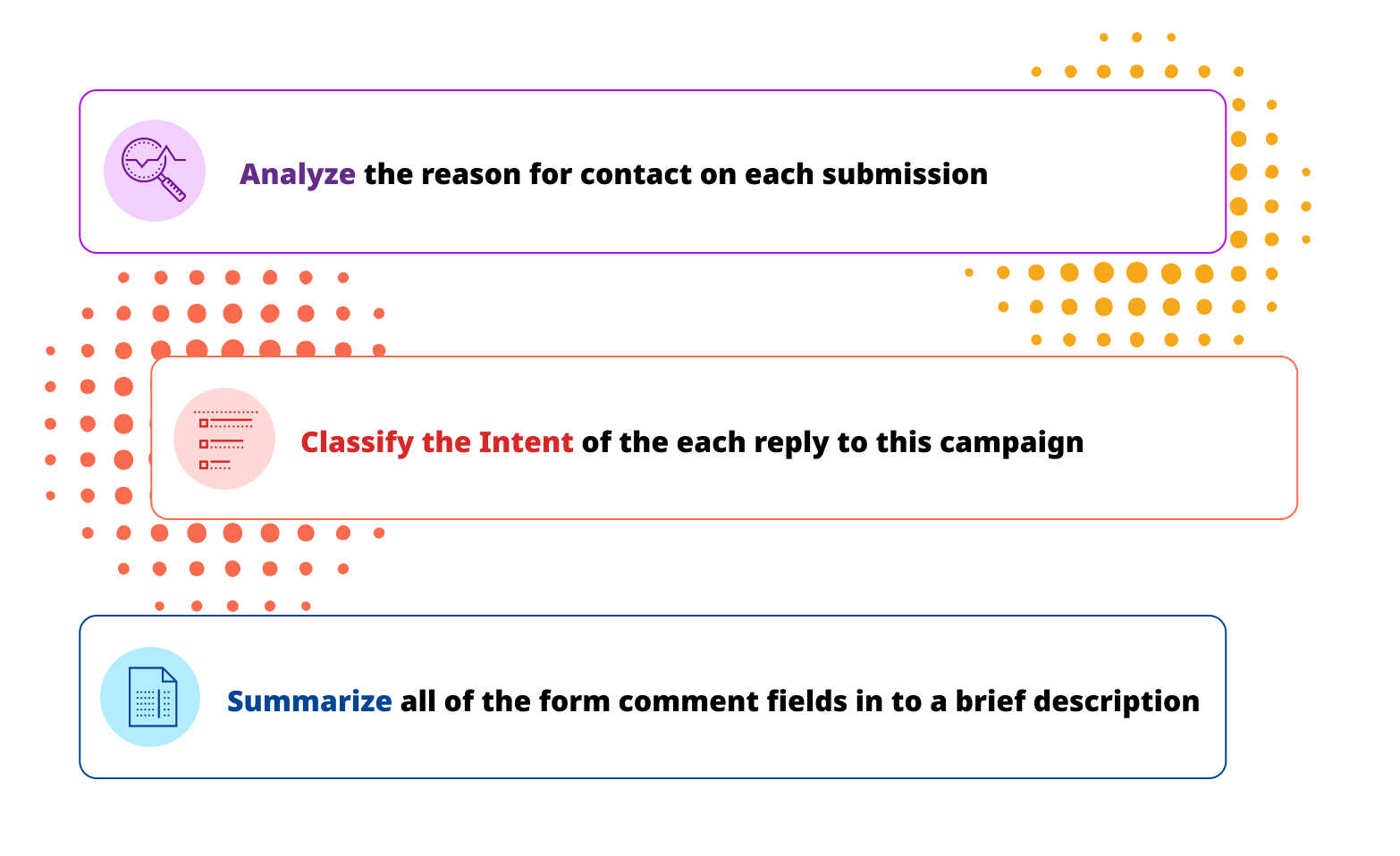
Three boxes with icons and text: Analyze, Classify the Intent, Summarize.

Connect your stack in minutes​

Bring contacts and events from tools you already use


How do you add an AI Action?

How It Works Description

Blue and white icon of a magnifying glass scanning a document for brand data

Choose your AI action

Select summarize, analyze, sentiment, intent classification, extraction, scoring, or custom prompt.

Blue and white icon of a magnifying glass scanning a document for brand data

Add your data

Insert merge tags, contact fields, company details, campaign activity, form responses, or custom values.

Blue and white icon of a magnifying glass scanning a document for brand data

Use the output

Save the result to a field, branch the automation, notify a team member, update a record, or personalize the next message.

AI Actions work across your connected workflow

Use the data already moving through your systems to power more intelligent automations.

We'll help build your first AI-powered workflows

Our team will help you map the best use cases, define prompts, structure outputs, and connect AI Actions to fields, segments, and follow-up paths. Your data stays private and secure at every step.

Pricing Built Around Your Audience

Choose a contact tier and unlock the features that match.

How many contacts do you have?

Basic

For Essential Monitoring And Reporting Needs
$15 $15 / month
  • 1 User
  • 1GB Storage
  • 10x Contact List (Sending Limit)

Growth

For Multiple Team Or Group Reporting Needs
$70 $70 / month
  • Everything In Basic
  • 3 User
  • 3GB Storage
  • 12x Contact List (Sending Limit)

Pro

For Support Of Multiple Businesses Or Products
$159 $159 / month
  • Everything In Growth
  • 5 User
  • 10GB Storage
  • 15x Contact List (Sending Limit)

Enterprise

For Support Of Multiple Businesses Or Products
$279 $279 / month
  • Everything In Professional
  • Unlimited Users
  • 25GB Storage
  • Priority Support
No per‑user fees. Add unlimited teammates.
4

Testimonials

Smiling woman with dark hair and hoop earrings, a customer testimonial avatar

"AI Actions helped us turn form submissions into clear summaries, intent labels, and sales-ready follow-ups."

— Marketing Operations Director

Headshot of a man with dark hair pulled back, looking directly forward

"Our team can now understand replies and route leads without reading every message manually."

— Head of Growth

Headshot of a young woman with long dark hair, looking directly at the camera

"The custom prompt action gives us the flexibility to build workflows around our exact process."

— Revenue Operations Lead

FAQs

The AI Actions Library is a collection of AI-powered automation steps that can summarize, analyze, classify intent, determine sentiment, extract information, generate recommendations, and run custom prompts inside Adaptix workflows.

Yes. You can reference contact fields, company details, lifecycle stage, campaign activity, and custom values directly inside an AI prompt so results reflect each contact’s real data.

AI Actions can analyze email replies, form submissions, contact notes, company profiles, landing page behavior, and other engagement data flowing through your workflows.

Yes. Outputs such as summaries, labels, scores, and recommendations can be written back to contact, company, deal, ticket, or custom fields for routing, scoring, and follow-up.

Yes. The custom prompt action lets you write your own AI instruction using merge tags, fields, and automation data to fit your exact process.

Connect your stack in minutes​

Lean set of tools that cover the full loop—create, send, learn.

Why Adaptix

Your account has been successfully created!

A verification email has been sent to you for authorization