Brandkits keep every message, page, and campaign unmistakably on brand

Adaptix Brandkits centralise logos, images, business profile, colors, fonts, social presence, design do’s and don’ts, tone, audience guidance, and memory so AI-generated content stays branded and consistent.

Use Brandkits across email and landing page builders to generate on-brand, on-time messaging that converts.

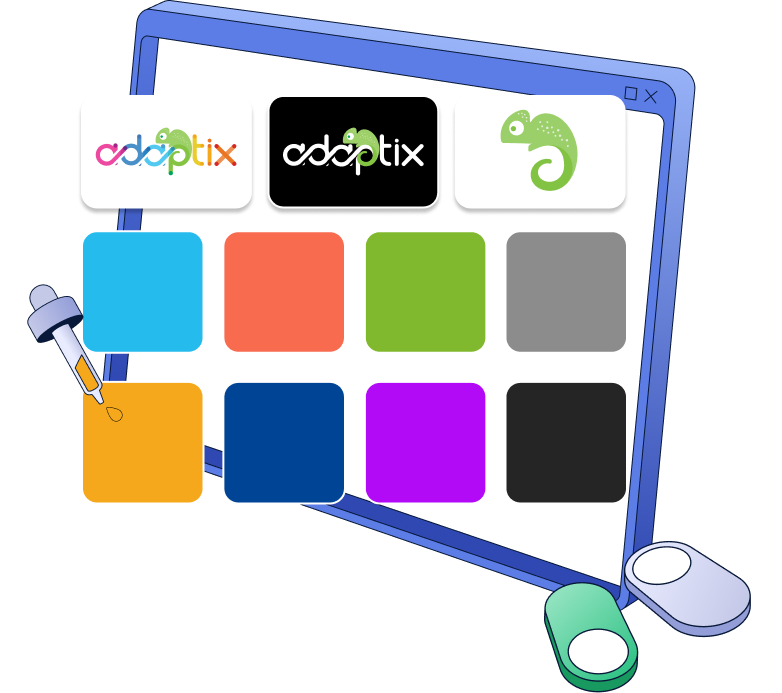
A computer screen displaying Adaptix logos, a chameleon icon, and eight color swatches with a dropper.

Teams use this to get first draft in 20 minutes, not 2 days

The Problem

Red X icon inside a circle representing scattered or disorganized brand assets

Scattered logos, assets, and brand files

Red X icon inside a circle representing scattered or disorganized brand assets

Inconsistent tone and messaging across teams

Red X icon inside a circle representing scattered or disorganized brand assets

Slow, manual brand reviews and approvals

Red X icon inside a circle representing scattered or disorganized brand assets

Unclear audience or ICP-specific messaging

Adaptix Solution

icon with checkbox

Unified brand memory for assets, tone, and rules

icon with checkbox

Auto-captured brand profile from your digital footprint

icon with checkbox

Built-in ICP guidance for tailored messaging

icon with checkbox

Generate on-brand content in email & landing pages

A smarter Brandkit engine for consistent brand execution

Turn your brand rules and business context into reusable AI guidance that keeps every output on brand.

 
Icon showing a logo and image capture tool for brand asset management

Logo & image capture

Pull approved logos, graphics, and images into a single source of truth.

Icon featuring a color palette and typography symbols representing brand colors and fonts

Colors & fonts

Detect and organize your brand palette, typography, and visual style.

Icon of a business profile document with a circular portrait and horizontal text lines

Business profile

Store company basics, positioning, value props, and key details.

Abstract icon featuring two overlapping geometric shapes representing brand pairing and identity alignment

Social footprint

Use social channels and public brand cues to strengthen identity and context.

Icon featuring a green checkmark and a red cross mark representing brand do's and don'ts

Do's & don'ts

Define approved language, design rules, and phrases to avoid.

Adaptix memory icon featuring a stylized brain with interconnected nodes and digital circuitry lines

Memory + guidance

Maintain reusable brand intelligence to power future content generation.
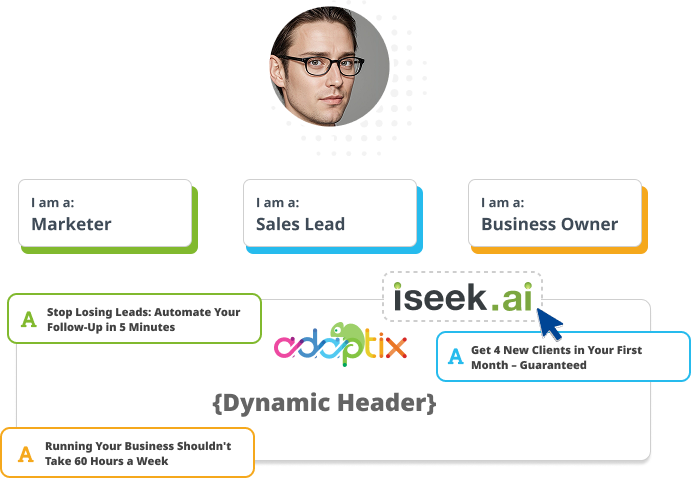
Give every team the right brand context for every audience

Transform one brand foundation into tailored, on-brand messaging that resonates with each audience.

Diagram showing a user profile connected to different roles and dynamic content examples.
Line art icon of a pencil writing on a document representing AI writing tools

Different messaging rules by ICP

Icon of two overlapping speech bubbles representing conversational AI messaging and tone rules

Auto-match tone for each audience

Line icon of a document with a user profile symbol and personalization fields

Keep layouts, language, and claims on brand

Brand and messaging guardrails

Let creativity move fast while keeping every output approved and aligned.


Icon showing a document with a shield and a magnifying glass for brand guardrails

Words to avoid

Block off-brand or sensitive terms.

Soft blue and purple circular icon representing brand tone and language guidance

Mandatory brand language

Ensure key phrases are always included.

Adaptix Brand Kit icon featuring a stylized document with a circular logo and layout lines

Design preferences

Lock in layout, color, and style rules.

Icon of a megaphone with sound waves representing brand tone and communication boundaries

Tone boundaries

Define how your brand should sound.

Spintax - Open envelope with a letter and megaphone, next to three panels displaying marketing, urgent, and regional holiday email body copy variations for a sitewide 40% off sale.

Connect your stack in minutes​

Bring contacts and events from tools you already use


Implement Brandkits in 3 easy steps

Build once, refine instantly, and apply everywhere.


Blue and white icon of a magnifying glass scanning a document for brand data

Scan your brand

Import your site, assets, and business details.

Blue and white icon of a magnifying glass scanning a document for brand data

Review memory & ICPs

Refine guidance, audiences, and brand rules.

Blue and white icon of a magnifying glass scanning a document for brand data

Apply everywhere

Use in email and landing page builders.

Powered by your real behavior, not guesswork

Behavioral Targeting and Smart Recommendations look at product usage, CRM stage, purchase history, and engagement — then act.

We’ll seed your AI with your brand kit

We ingest your style guide, best historical emails, and compliance copy so version 1 already sounds like you.

Pricing Built Around Your Audience

Choose a contact tier and unlock the features that match.

How many contacts do you have?

Basic

For Essential Monitoring And Reporting Needs
$15 $15 / month
  • 1 User
  • 1GB Storage
  • 10x Contact List (Sending Limit)

Growth

For Multiple Team Or Group Reporting Needs
$70 $70 / month
  • Everything In Basic
  • 3 User
  • 3GB Storage
  • 12x Contact List (Sending Limit)

Pro

For Support Of Multiple Businesses Or Products
$159 $159 / month
  • Everything In Growth
  • 5 User
  • 10GB Storage
  • 15x Contact List (Sending Limit)

Enterprise

For Support Of Multiple Businesses Or Products
$279 $279 / month
  • Everything In Professional
  • Unlimited Users
  • 25GB Storage
  • Priority Support
No per‑user fees. Add unlimited teammates.
4

Adaptix Brandkits in Action

Smiling woman with dark hair and hoop earrings, a customer testimonial avatar

"Our campaigns finally sound like our brand — in everything, consistently."

— Sarah L. Marketing Director, Northpeak

Headshot of a man with dark hair pulled back, looking directly forward

"We produce more content, faster, without losing our brand voice."

— James H. Head of Growth, Glocale

Headshot of a young woman with long dark hair, looking directly at the camera

"On-brand at scale with every email and landing page."

— Maya E. Operations Lead, Classpath

Brand Kit & Memory: Frequently Asked Questions

A Brandkit holds everything the AI needs to keep your content on brand in one place. That includes your logo and image library, color palette, fonts, business profile, social footprint, tone of voice, do’s and don’ts, audience definitions, and ICP guidance. It also stores reusable brand memory, so every email and landing page you generate pulls from the same source of truth. Instead of re-explaining your brand each time you write, the Brandkit carries that context forward automatically.

Yes. Your Brandkit applies across both the Adaptix email builder and the landing page builder, so the same brand rules follow you no matter what you’re creating. Colors, fonts, tone, approved language, and audience guidance stay consistent whether you’re drafting a campaign email or building a full landing page. You build the brand foundation once, then apply it everywhere without rework.

Brandkit memory turns your brand rules and business context into reusable AI guidance that persists across every piece of content. Once you scan your site and assets, Adaptix stores your tone, messaging preferences, and audience details as a living reference the AI draws on for future drafts. As you refine guidance and rules over time, the memory updates, so outputs get sharper and more on-brand with use. You’re not starting from a blank prompt each time — the AI already knows how your brand sounds.

Adaptix scans your website, brand assets, and public digital footprint to auto-capture your brand profile. It pulls approved logos and images, detects your color palette and typography, and gathers business details and social cues to build a starting Brandkit for you. From there, you review and refine the memory, audiences, and rules so everything matches how your brand actually works. Most of the setup happens automatically, so you’re editing a draft rather than building from scratch.

Yes. Brandkits support ICP-specific guidance, so you can define separate messaging rules and tone for each audience you serve. One brand foundation becomes tailored messaging that fits a small business buyer differently than an enterprise decision-maker, without you rewriting your voice each time. Adaptix auto-matches tone to the audience while keeping layouts, language, and claims on brand. That means every segment gets relevant messaging that still sounds unmistakably like you.

Brandkits let you lock in guardrails that keep every output approved and aligned. You can block off-brand or sensitive words, require mandatory brand language so key phrases always appear, and set design preferences for layout, color, and style. You can also define tone boundaries that shape how your brand should sound across content. These rules let your team move fast on creative work while staying inside brand and compliance limits.

Setup runs in three steps and takes minutes, not days. First, Adaptix scans your site, assets, and business details to build your Brandkit. Next, you review the memory and ICPs, refining audiences and brand rules to match your standards. Then you apply the Brandkit everywhere in the email and landing page builders. Teams commonly go from setup to a first on-brand draft in about 20 minutes.

Connect your brand stack in minutes

Build once. Use everywhere. Stay on brand.

Why Adaptix

Your account has been successfully created!

A verification email has been sent to you for authorization