
Previewing a form is important to be able to see the finalized version of your form and to make sure it is functioning the way you want it to.
- In your Adaptix Menu, under “Content”, open up the “Forms” page .You can now see an overview of all the current forms in your Adaptix account.
- Select the form you want to preview by checking off the box that is in line with the form you want to preview.
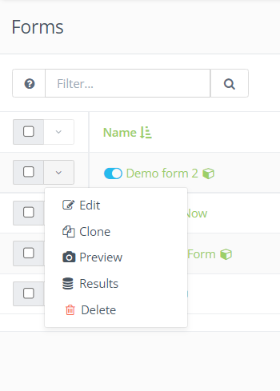
- Click the down arrow next to the box you checked off to pull up a list of actions.
- Click “Preview”.
- You will then be redirected to a preview of your form on another tab.
