
Adaptix allows you to import companies from a CSV file. This feature makes it super efficient for the user to upload multiple companies from a single file.
- Open up the “Companies” page
- In the top right corner of the page click the down arrow button. This will pull down a list of actions.
- Click “Import”
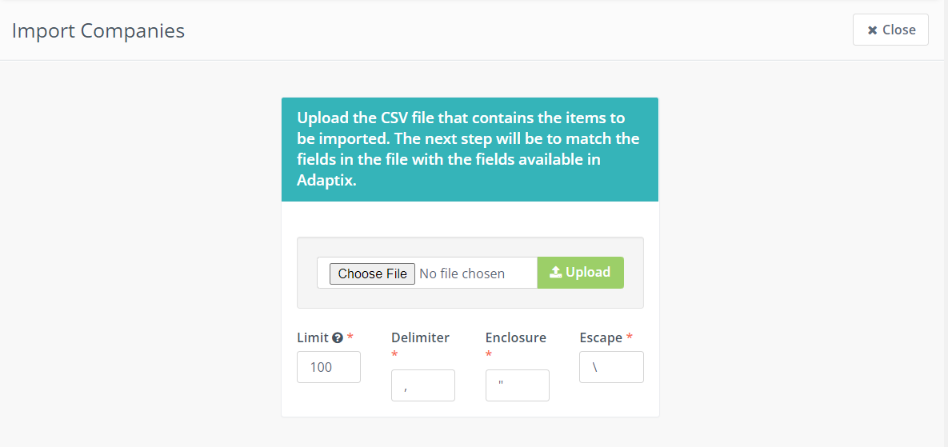
- You will be navigated to Upload a CSV file.
- Click “Choose File” and click on the file you want to upload
- Press the “Upload” button when the file has been selected
