
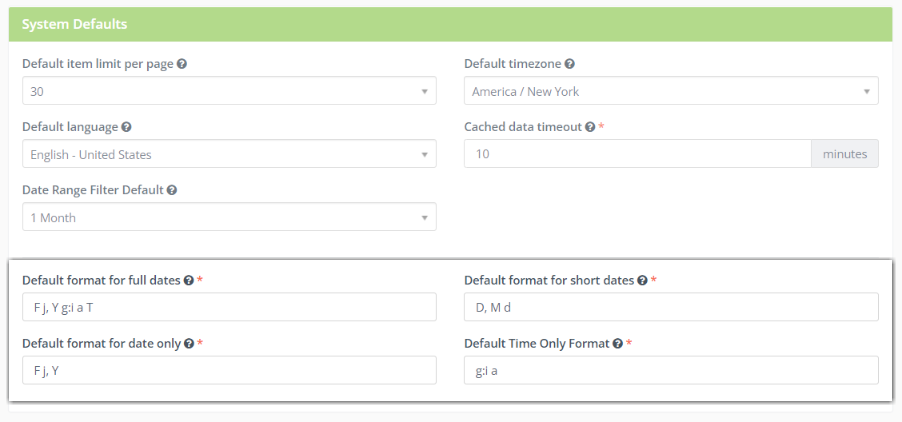
You can change the default date & time format in your Adaptix account by opening up the “Configurations” settings.
- Click on “System Settings” and scroll down to the “System Defaults” section
- You will see multiple date & time formats you can modify
- Default format for full dates
- Default format for short dates
- Default format for date only
- Default Time Only Format
- Enter the format you want to change in the text box
- Click “Save & Close” when you are done modifying your account settings!
