
How to display a list of countries in a dropdown field?
 Open up a form or create a new one
- Click “Edit” to be able to edit the form and add new fields
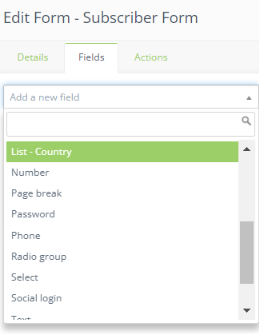
- Open the “Fields” tab
- Select “List- Country” and fill out the necessary information for that field
- Click “Add” when you are done
