
What is CAPTCHA?
“CAPTCHA is a type of challenge–response test used in computing to determine whether the user is human or an automated user (Bots).”
CAPTCHA adds a “security blanket” over your form to prevent hackers and bots in submitting a form. This can lower the amount of spam contacts that enter your account.
How to add CAPTCHA to your form
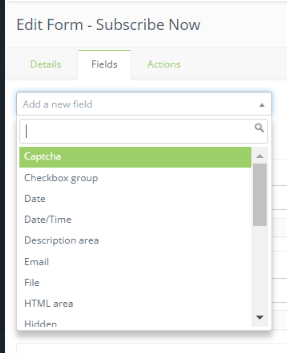
- Open up a form or create a new one
- Click “Edit” to be able to edit the form and add new fields
- Open the “Fields” tab
- Select “Captcha” and fill out the information in the Captcha form
- Click “Add” when you are done
