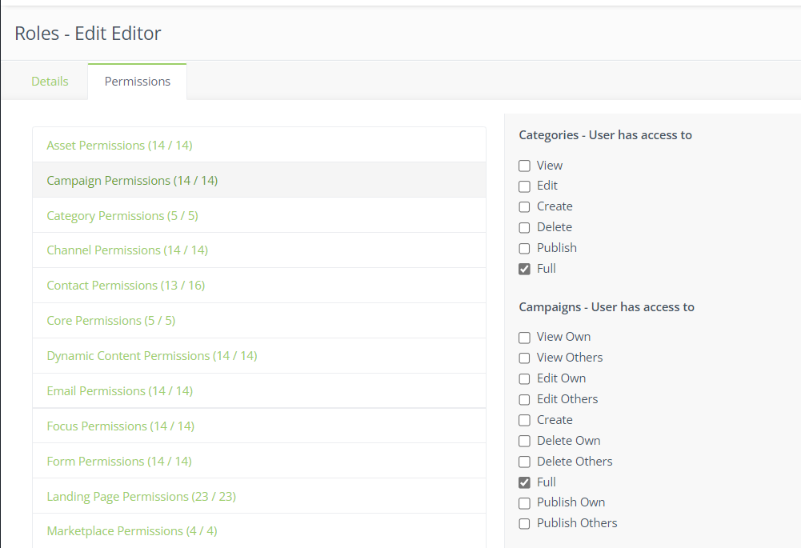
To set automation permissions, you will have to set your Campaign permissions. Automations are located within a campaign so to access the automation you need access to edit, modify, alter, etc. campaigns.
- Open up the Adaptix setting by clicking the gear icon in the top right corner of the page.
- Click “User Management”
- Here you can create roles , set their permissions and assign them to an account user
- Create a new role or edit an existing one
- Under Permissions you can set each permission by each module
- Click on “Campaign Permissions”
- To allow full access to this module check off “Full” for both “Categories” and “Campaigns”