
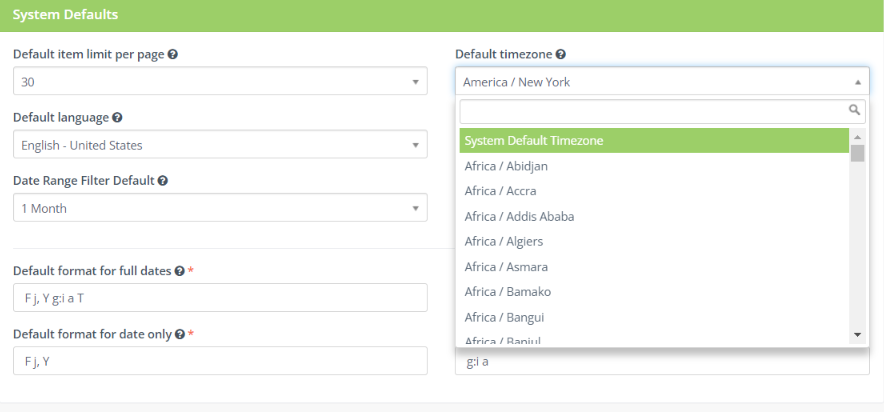
To update the Timezone:
- In your Adaptix account click the settings icon located in the top right corner.
- Open up the “Configuration” settings
- Click the “System Settings” tab
- Under “System Defaults” you can change the timezone in your account. Under “Default timezone” click the drop down bar to open up a list of timezones you can choose from.
- Select the desired timezone
- When you are finished click “Save & Close”
